How it works
You set it up once.
Then it just runs.
EverBack has no schedules to manage, no jobs to babysit, and no cleanup. Here is everything that happens, from the first click to the worst day.
EverBack has no schedules to manage, no jobs to babysit, and no cleanup. Here is everything that happens, from the first click to the worst day.
Download it, open it, and choose what to protect: your whole drive or specific folders. That is the last decision EverBack asks you to make. The first backup starts immediately.
Only the changes travel, so hourly backups move megabytes, not gigabytes. Everything is encrypted on your computer before it leaves, with a key that stays with you. Backups run even when nobody is logged in, and slow themselves down during working hours so your internet stays fast.
At midnight, we take everything your hourly backups have uploaded so far and seal it in the Vault. This happens on our side. Your laptop can be off, asleep, or in a bag at the airport. The sealed copy is written once, never modified, never deleted. Your computer holds no credentials that can touch it, so nothing running on your computer can either.
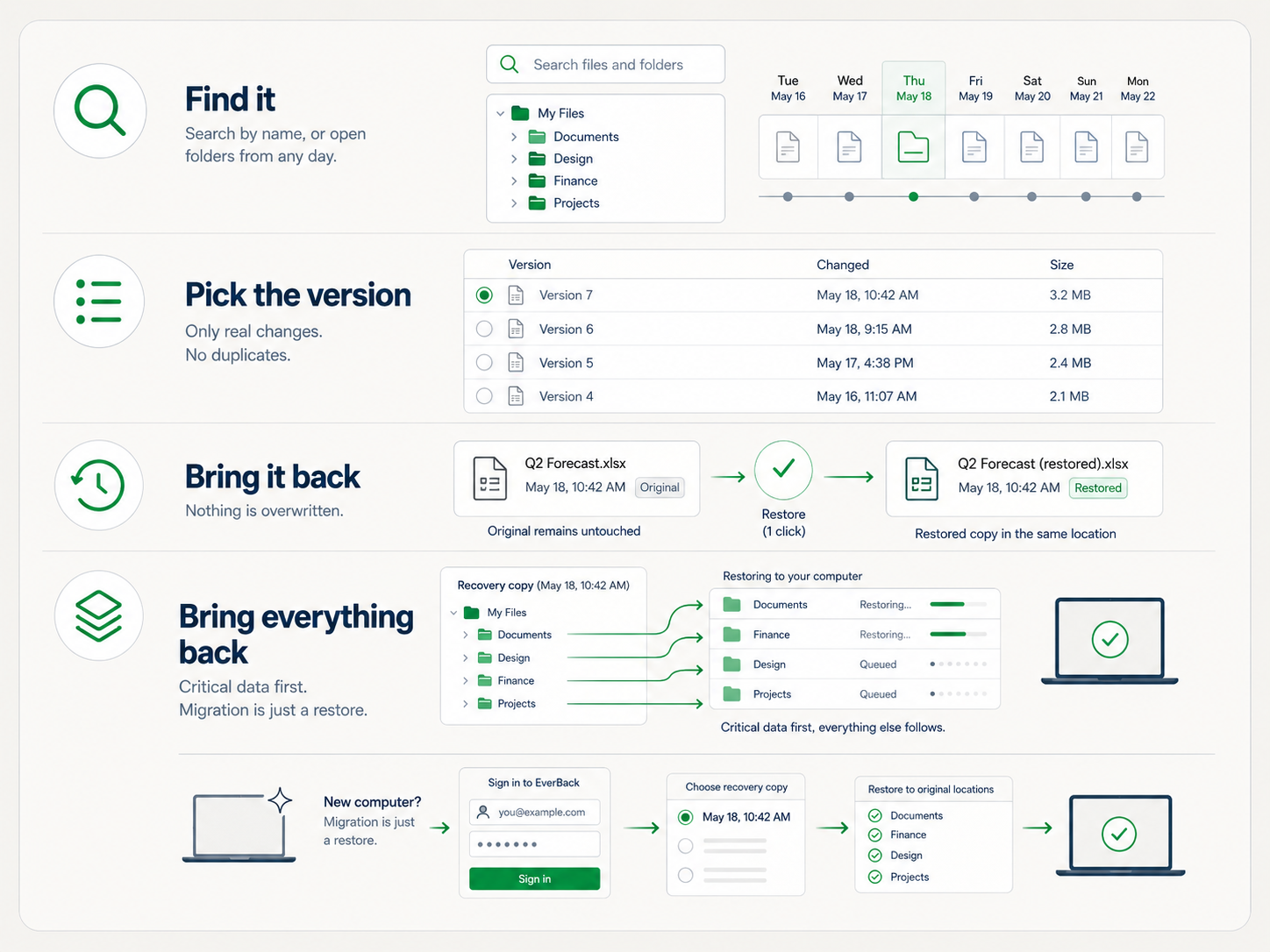
Search a file's name, or browse your folders as they were on any day, years back if you need. Every restore lands next to the original, named "(restored)". Nothing is ever overwritten. New computer? Install EverBack, sign in, press restore. Migration is just a restore.
Ransomware encrypts every machine in the office. You open EverBack, pick last night's Vault copy, and press restore. Critical folders come back first, so people are working again in minutes while the rest streams in. And a real engineer is on the phone with you the whole time.
We watch every backup: if a machine stops backing up, we know before you do, and the app tells you plainly what is wrong.
We test restores: real files are periodically brought back and verified, so recovery is proven, not assumed.
We answer the phone: when something matters, you talk to an engineer who can fix it, not a ticket queue.